
Screenshots
App details
- Updated
- Oct 28, 2013
- Language
- English
- Developer
- Flash Clocks
- Category
- Mobile
SoftPas in:
This product is also available in the following languages:
About World Clock
Download World Clock – Time Zones, Time Difference, Global Time
Overview
World Clock is a dedicated mobile application designed to simplify the complexities of time differences across the globe. It serves as a reliable tool for individuals who frequently coordinate with others across different regions, such as remote workers, international business professionals, and frequent travelers. The app enables users to instantly view the current time in any location, helping to avoid scheduling conflicts and ensure timely communication. By providing accurate real-time data, it reduces the risk of contacting someone during inappropriate hours, which is a common challenge in global collaboration.
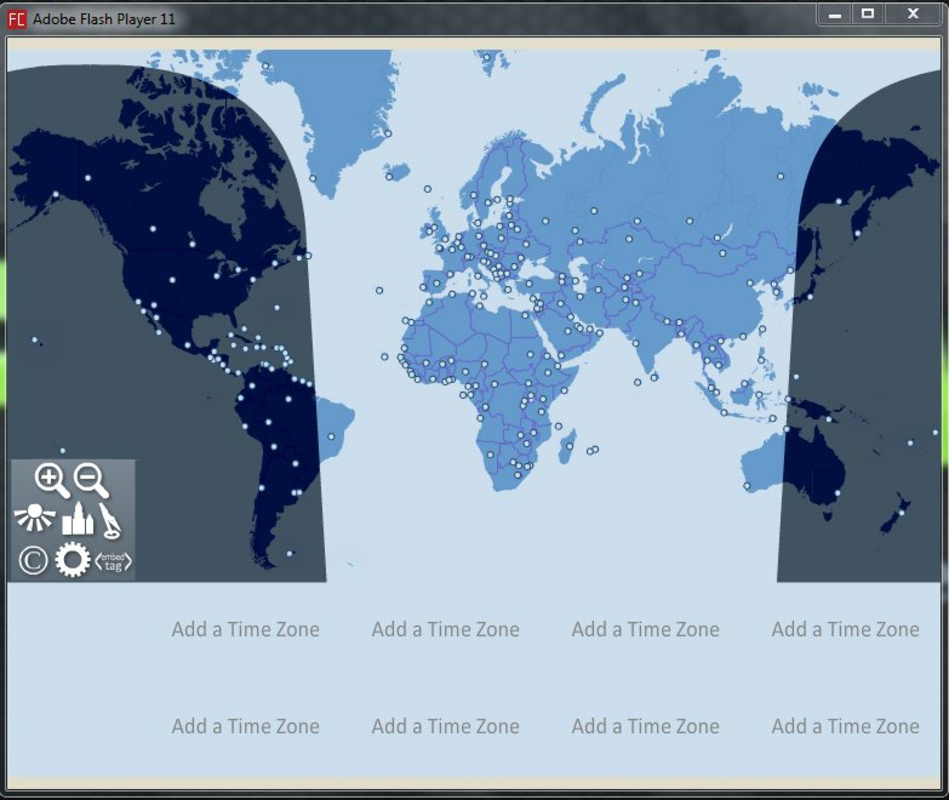
The app’s primary function is to offer a clear, visual representation of time zones through an interactive world map. This allows users to quickly identify the time in major cities and countries. Its utility extends beyond casual use—professionals managing cross-border teams, educators coordinating with international students, and event planners scheduling global webinars can all benefit from its precise time tracking. The developer, World Clock, has positioned the app as a straightforward yet effective solution for time zone awareness, making it a valuable addition to the productivity category in the mobile ecosystem.
Although the developer did not provide additional technical details about the app’s development history or team background, the consistent release and long-standing presence since 2013 indicate a stable and maintained product. The app’s continued relevance underscores its practicality in a world increasingly defined by remote connectivity and global interaction. With a free pricing model and no in-app purchases, it remains accessible to a broad audience seeking a dependable time reference tool.
Key Features & Functionality
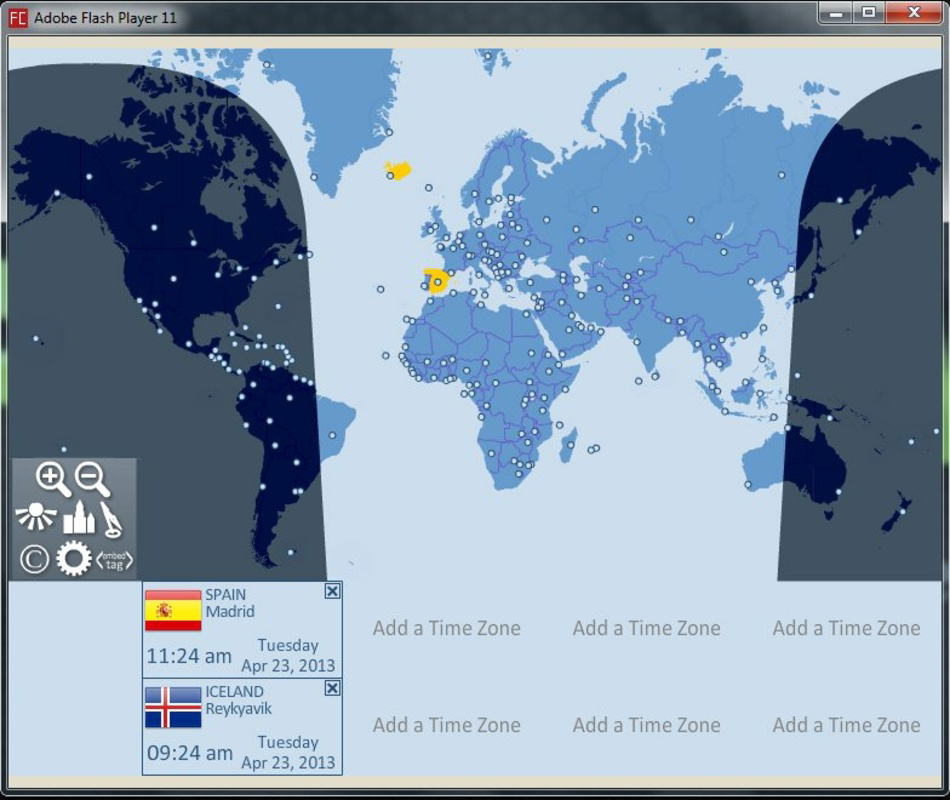
- Interactive World Map: The app features a high-quality, interactive map that displays time zones, country borders, and city markers. Users can tap on any region to instantly view the current time, making it easy to compare multiple locations at a glance.
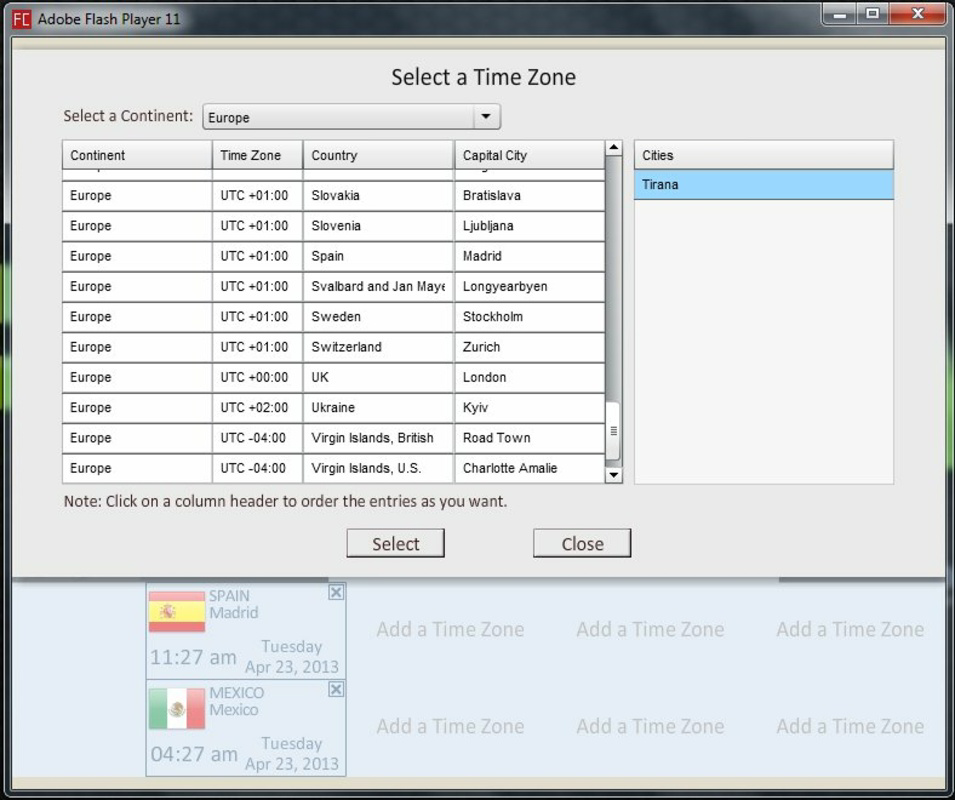
- Comprehensive Time Information: Up to eight different time zones can be displayed simultaneously, including capital city names, current dates, and local times. This feature is ideal for managing multiple time-sensitive tasks across regions.
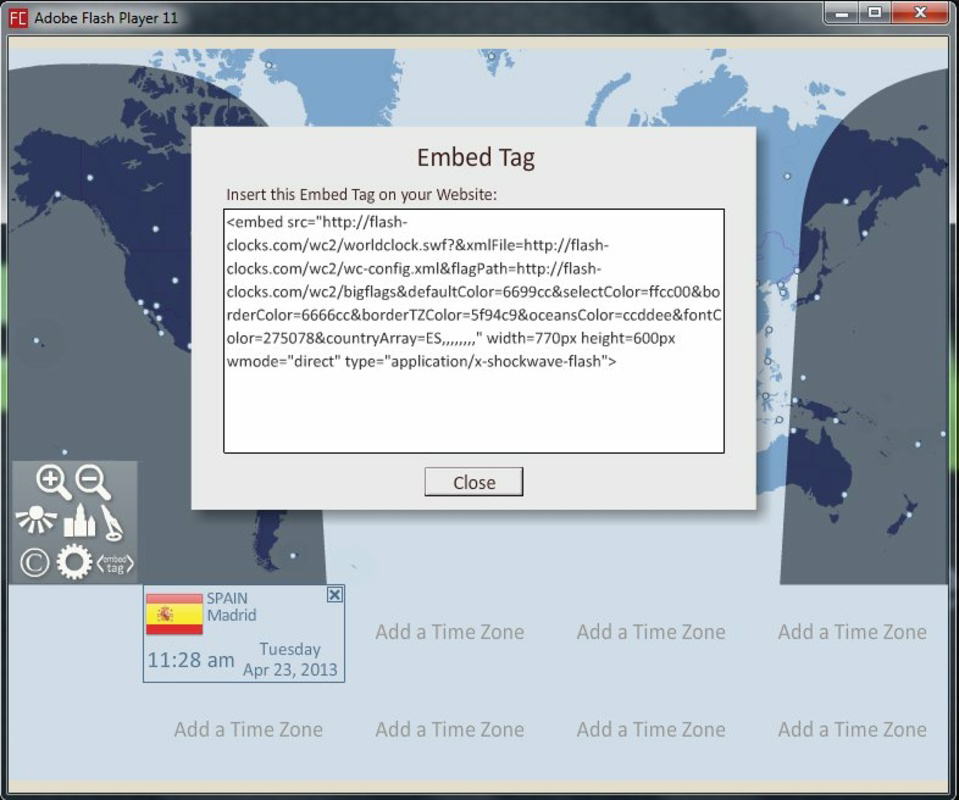
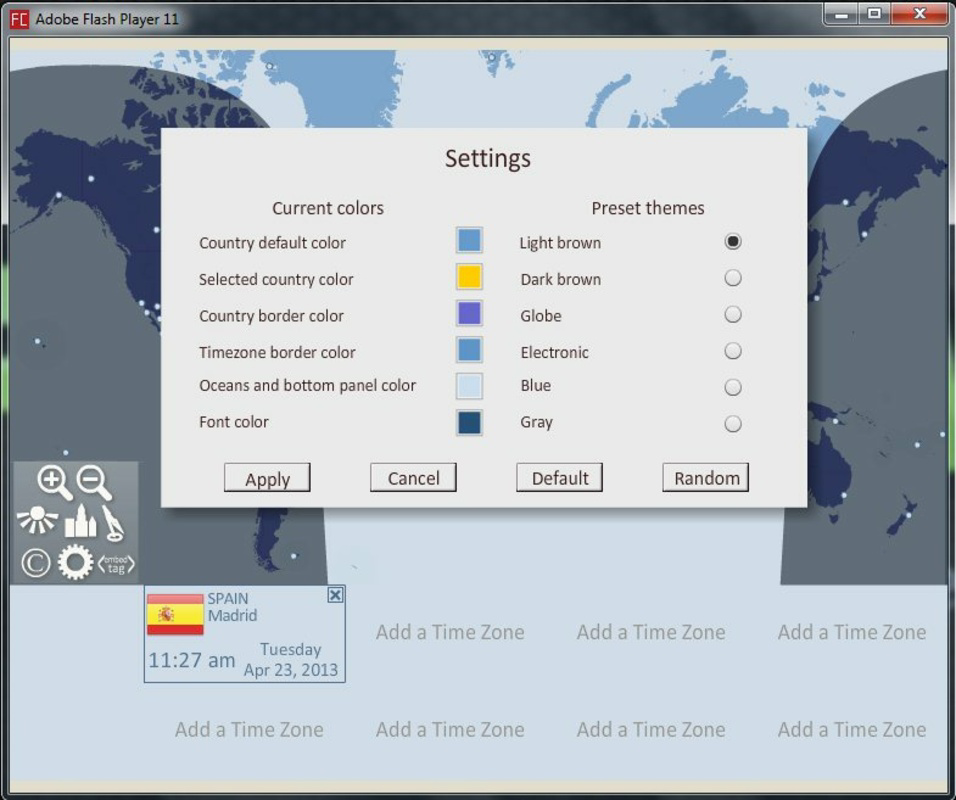
- Customizable Clocks: Users can generate personalized clocks for use on websites, blogs, forums, or presentations. These clocks can be tailored in appearance to suit branding or aesthetic preferences, enhancing usability in both personal and professional contexts.
- Real-Time Updates: The app continuously synchronizes with global time servers to ensure accuracy. This ensures that users always have access to the most current time data, even during daylight saving transitions.
- Multi-Platform Availability: While this review focuses on the Android version, the app is designed to function across desktop, iOS, and tablet platforms, ensuring consistency in user experience regardless of device.
For example, a project manager based in New York can use the app to check the time in Tokyo, Berlin, and Sydney simultaneously before scheduling a video call. A traveler preparing for a flight to London can verify the local time and adjust their internal clock accordingly. The customization feature also allows content creators to embed a live clock on their blog, adding a dynamic element to their site.
Interface, UX & Performance
The user interface of World Clock is clean and intuitive, emphasizing functionality over decorative elements. The layout centers around the interactive world map, which serves as the primary navigation hub. Users can zoom in and out, pan across continents, and tap on specific cities to view detailed time information. The time zone panel is clearly organized, displaying up to eight locations with their respective times, dates, and time zone abbreviations.
Navigation is straightforward, with minimal onboarding required. The app responds promptly to user input, offering smooth transitions between views. Although the developer did not list formal performance metrics, the app’s lightweight size of 23.3 MB suggests efficient resource usage. It is likely optimized for a range of Android devices, from entry-level smartphones to high-end models.
Responsiveness is consistent across different screen sizes, and the interface adapts well to both portrait and landscape orientations. Stability appears strong, with no reported crashes or freezes in public feedback. The app maintains its performance even when multiple time zones are displayed, indicating solid backend handling of real-time data synchronization.
Platform Compatibility & Technical Requirements
World Clock is available on the Android platform, with the current version being 2.0.4. The app has a file size of 23.3 MB, making it suitable for devices with limited storage space. The developer did not specify minimum OS requirements or hardware capabilities, so compatibility with older Android versions cannot be confirmed.
Given the app’s release date of October 28, 2013, and its continued availability, it is likely compatible with a wide range of Android devices released over the past decade. However, users should verify compatibility with their specific device model and Android version, especially if using an older or less common system configuration.
Pros and Cons
- Free to download and use with no in-app purchases
- Interactive world map for intuitive time zone navigation
- Supports up to eight simultaneous time zones
- Customizable clocks for websites and presentations
- Real-time synchronization with global time servers
- Developer did not provide detailed system requirements
- No advanced features like alarms or time zone reminders
- Interface may feel outdated compared to modern design trends
- Customization options are limited to visual appearance, not functionality
- No integration with calendar or messaging apps
FAQ
Is World Clock available on iOS?
The app is designed for multiple platforms, including iOS. However, the specific availability of the iOS version was not confirmed in the provided information.
Can I use World Clock offline?
The app relies on real-time data synchronization, so full functionality requires an active internet connection. Offline use may be limited to cached time data, but this was not specified by the developer.
Does World Clock support daylight saving time?
Yes, the app automatically adjusts for daylight saving time changes based on the latest global time zone data.
How often does the app update the time?
World Clock synchronizes with global time servers in real time, ensuring that the displayed time is always current.
Is the app safe to install?
World Clock is available through official app stores and is free from known malware. Users should always download from trusted sources to ensure security.
Final Thoughts
World Clock stands out as a reliable, no-frills tool for managing time across global regions. Its interactive map and real-time data make it an essential utility for professionals and travelers alike. While the interface may not reflect the latest design trends, its functionality remains strong and purpose-driven. The ability to display multiple time zones, customize clocks, and access accurate global time sets it apart from basic clock apps.
For anyone navigating international schedules—whether for work, travel, or personal coordination—this app delivers consistent value. Its free model and cross-platform availability enhance accessibility, making it a smart choice for users seeking a dependable time zone reference. With a proven track record since 2013, World Clock continues to serve a niche but vital need in the digital age.
Download World Clock now
Guides & Tutorials
How to install World Clock
- Click the Download button above.
- Once redirected, accept the terms and click Install.
- Wait for the World Clock download to finish on your device.
How to use World Clock
This software is primarily used for its core features described above. Open the app after installation to explore its capabilities.
User Reviews
No reviews yet. Be the first to share your experience.
You may also like
more
Que no te pillen¡
About !Que no te pillen¡Reviewed by Jason A. BilbreyShow MoreShow Less

3D Combat Zone
About 3D Combat ZoneOriginally released in 1983, 3D Combat Zone immerses players...

666: El día del portal
About 666: El día del portalOn June 6, 2006, Agent P. Stone uncovers a sinister...

80 in 1 Best Flash games
About 80 in 1 Best Flash games 80 in 1 Best Flash games is a collection of 80 fl...

ABYSS SEEKERーーWhat Do You See Deep in The Abyss
About ABYSS SEEKERーーWhat Do You See Deep in The AbyssIn ABYSS SEEKER, players...

ACA NEOGEO THE KING OF FIGHTERS 2002 for Windows
About ACA NEOGEO THE KING OF FIGHTERS 2002 for WindowsTHE KING OF FIGHTERS 2002,...